QR margins and checks before printing
Generating an image is not proof that a printed QR will scan. We decoded two Apps24 PNG samples, a URL and Korean text, with a separate ZXing-C++ reader and inspected the clear margin in pixels.
Input and result
https://example.org/apps24-qa | 222×222 px | 24 px / 4×6 px |
Apps24: 한글 ✓ | 198×198 px | 24 px / 4×6 px |
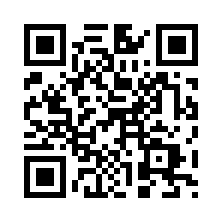
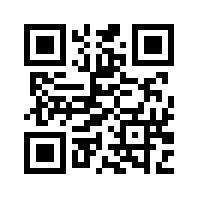
What the result means
The URL image was 222×222 pixels and the Korean sample 198×198. Both had 24 pixels of clear space on all sides. Each module in these outputs was 6 pixels, making 24 pixels four modules. Both decoded strings exactly matched the inputs. The earlier 12-pixel margin was only two modules; we corrected the encoder's point-based padding. A successful decode does not verify destination safety or availability.
What to do next
1. Enter the complete final URL and download the image. 2. Keep its white border free of cropping, text and logos. 3. Make a test print at the final size on the intended material. 4. Scan that print with a phone at the intended distance and lighting, then check the address. If the screen works but print fails, check downscaling, blur, missing margin and reflections first. There is no single minimum print size that works for every QR.
Use the toolLimits and test conditions
Digital tests on 2026-10-07 using Apps24 API PNGs, ZXing-C++ 3.1.1 and Pillow 12.3.0, two inputs only. No camera or printed scan was performed; no scan success rate is certified. The example.org URL is a test value. QR input is sent to the server to create PNGs, so do not enter passwords or private data. Downloads below contain public test values only.
References
Apps24 checks examples against the implementation and regression tests. Browser experiments state their conditions; they do not certify every device. Report an error with the page URL, input, expected result and browser. Never send passwords, private documents or personal data.